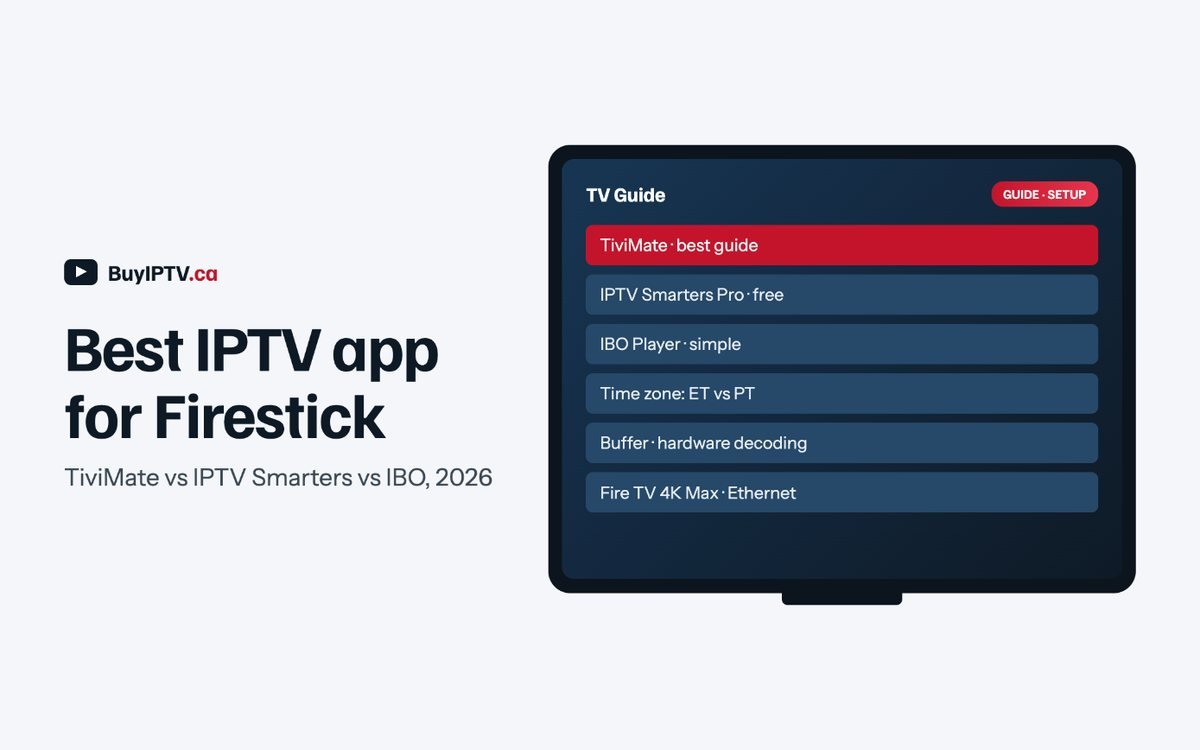
- TiviMate is the IPTV app with the best guide and the best handling of large Canadian channel lists, but recording, multiple playlists and a few other features sit behind a small paid unlock bought through its companion phone app.
- IPTV Smarters Pro is free, supports Xtream login, catch-up and multiple users, and is what we point new subscribers to on the Firestick setup guide. It is fine; it is just less polished.
- Guide times are wrong in Vancouver, Calgary and Winnipeg far more often than in Toronto, because Fire TV devices and some EPG sources default to Eastern. Every IPTV app we recommend has a time-shift setting and the device has a time zone setting; check both.
- The Fire TV Stick HD and Lite are 1080p only. For 4K you need the Fire TV Stick 4K, 4K Max or the Cube, and the Max or Cube if your channel list is 30,000 lines long.
- Sideloading an IPTV app takes ten minutes with the Downloader app. Buffer size, hardware decoding and the 5 GHz band or an Ethernet adapter are the fixes that matter on Rogers, Bell and Telus.
Which IPTV app should most Canadians install on a Firestick?
Every Fire TV Stick runs Fire OS, which is Android underneath, so an IPTV app built for Android TV runs on it too. That gives you a short list of serious candidates and a long tail of clones. The serious contenders are TiviMate, IPTV Smarters Pro, IBO Player and a group of free options, of which Sparkle TV is the one we hear about most. Each one does the same basic job: take the login your provider gives you, usually an Xtream Codes username, password and server address, or an M3U link, pull down the channel list and programme guide, and play the streams.
The differences between one IPTV app and another show up in the guide, the way each handles a Canadian-sized channel list, whether catch-up and recording work, what it costs, and how it behaves on the evening your Wi-Fi is struggling.
We support all of them, and our credentials work in all of them. We have opinions, which follow, but the honest summary is that TiviMate is the better IPTV app and Smarters is the free one, and both are good enough that the device and the network will limit you before the app does.
Which Fire TV models actually run an IPTV app in 4K?
Amazon sells five Fire TV devices in Canada and names them confusingly. The Fire TV Stick HD, which replaced the older Fire TV Stick Lite and basic Fire TV Stick, tops out at 1080p. It runs an IPTV app perfectly well in Full HD and it is the cheapest way to put a service on an older TV, but no setting will make it show a 4K stream, and its smaller memory means a 30,000-channel guide scrolls with a pause. The Fire TV Stick 4K plays 4K HDR, decodes HEVC in hardware, has Wi-Fi 6 and is the sensible default for a living-room TV.
The Fire TV Stick 4K Max adds a faster processor, more storage and Wi-Fi 6E, which matters in a condo where the 5 GHz band is crowded, and it makes a large channel guide inside any IPTV app noticeably smoother than the smaller sticks. The Fire TV Cube is the fastest of the group, does everything the Max does, and has an Ethernet port built into the back, so it never needs the adapter. Amazon’s Canadian product pages are at amazon.ca/firetv and the prices move with every sale.
| Model | Max resolution | Wi-Fi | Ethernet | Large IPTV app guide (30,000 channels) | Our take |
|---|---|---|---|---|---|
| Fire TV Stick HD (and older Lite) | 1080p | Wi-Fi 5 | Adapter, sold separately | Works, with pauses | Bedroom TV, one or two screens on a 1- or 2-device plan |
| Fire TV Stick 4K | 4K HDR | Wi-Fi 6 | Adapter, sold separately | Fine | Default for most living rooms |
| Fire TV Stick 4K Max | 4K HDR | Wi-Fi 6E | Adapter, sold separately | Smooth | Condos, crowded Wi-Fi, sports fans on any plan |
| Fire TV Cube | 4K HDR | Wi-Fi 6E | Built in | Smooth | Main TV where a wire can reach; no adapter needed |
Our channel list carries 4K where the broadcaster provides it, which in Canada means selected sports events and a modest number of movie and documentary channels, not the whole line-up. If you are buying a stick specifically for 4K, the 4K model is enough; the Max is the stick we would pair with an IPTV app in a downtown Toronto or Vancouver apartment, where the wireless environment is the real constraint.
Is IPTV Smarters Pro the best free IPTV app for Fire TV?
IPTV Smarters Pro is the IPTV app most providers, including us, hand to a new subscriber, because it is free, it accepts an Xtream login directly, and it has every function a household needs. You sign in with the username, password and server URL from your welcome email, it downloads the channel list and the guide, and you are watching within a couple of minutes.
It supports catch-up where the provider offers it, which for us is seven days on the channels marked with the catch-up icon; it supports multiple user profiles, so a 2-device plan’s two logins can sit side by side; it has a parental lock; and it can record to the device’s storage, which on a Fire TV Stick is small enough that you will treat it as a convenience rather than a PVR.
The weaknesses are real but manageable. The guide is a grid that scrolls acceptably on the 4K models and sluggishly on the HD stick with a full Canadian list, and the interface has more menus than it needs. Time-zone handling is done through an “EPG time shift” setting under the IPTV app’s settings, which you will need to touch if you live west of Ontario and the guide is showing the wrong hour; we cover that below.
It is not on the Amazon Appstore, so it has to be sideloaded from the developer’s site, which is the ten-minute job in the steps section. The developer’s own site, iptvsmarters.com, is no longer online, and look-alike sites now offer APKs under the same name that we can’t vouch for. If you’d rather not sideload, pick an app that is in the Amazon Appstore instead.
Under the hood the app uses its own player with a choice of decoders and stream formats. For Fire TV the settings that matter are the hardware decoder, which should be on, and the stream format, where switching from HLS to MPEG-TS tends to cure the stutter some Rogers customers see on the cable network in the evening. Both are in Settings under the player options and take a minute to try.

Is TiviMate the IPTV app worth the paid unlock?
TiviMate is an Android TV-only IPTV app, which is exactly what a Firestick needs, and its guide is the best on the platform by a distance. Channels are grouped the way the provider groups them, so our Sportsnet regions and TSN 1 to 5 sit together under Canadian sports, the guide scrolls smoothly through a 30,000-channel list on a 4K Max, favourites are a click away, and the picture-in-guide preview means you can browse while the game is on.
Catch-up is built into the guide: highlight a programme that already aired on a channel that supports it and press play. This IPTV app also supports Xtream and M3U logins, per-playlist EPG sources with their own time shift, and a search that actually works across a large list.
The free version is deliberately limited to one playlist, no recording and a few other restrictions. The premium version removes them, adds scheduled recording to an attached USB drive or the internal storage, multiple playlists so a household can keep two providers or two logins in one IPTV app, a favourites manager, and a handful of smaller comforts.
It is paid for through the TiviMate Companion app on an Android phone, as a yearly or a lifetime unlock for a small fee, covering several devices under one account. We will not print a price because the developer changes it; it is on the order of a fast-food lunch, not a subscription. Details are on the developer’s site at tivimate.com. For anyone reading a comparison this long, TiviMate is the easiest yes among the IPTV app options here.
Two practical notes. TiviMate does not use your provider’s Xtream credentials as a “login” in the Smarters sense; you add a playlist, choose Xtream, and enter the same three details. And the buffer, decoder and time-shift settings live in different places, which we walk through in the buffering section, because that is where they matter.
How do IBO Player and Sparkle TV compare as an IPTV app?
IBO Player is the app we recommend on Samsung and LG televisions, where it runs natively and TiviMate and Smarters do not. On a Firestick it is available as a sideloaded APK and works well, but its model is different: you register the device’s MAC address on the developer’s website, add your playlist there rather than in the app, and after a short trial pay a one-time activation per device, commonly around $10 to $15 CAD.
On a Fire TV that fee buys you nothing that Smarters gives you free, so unless you are already using IBO on the Samsung in the living room and want the same IPTV app on the bedroom stick too, it is not the first choice here.
Sparkle TV is a newer free IPTV app for Android TV and Fire TV that supports Xtream and M3U logins with a clean, fast guide and catch-up on channels that offer it. It is developed by a small team, updates come when they come, and it lacks TiviMate’s recording and multi-playlist depth, but for someone who wants a free app that looks better than Smarters, it is worth ten minutes.
XCIPTV is a heavily configurable Smarters-style IPTV app that some providers brand as their own; if your provider hands you one, it is fine, though we would still rather you knew the generic options exist. Kodi with the PVR IPTV Simple Client works and is enormously flexible, but it is a hobbyist’s tool and we do not support it. And there are dozens of apps on the Amazon Appstore called “IPTV Player” with five-star reviews and a weekly subscription; skip them.
Try any IPTV app with a real Canadian channel list. The 24-hour free trial gives you an Xtream login that works in TiviMate, Smarters, IBO Player and Sparkle TV, with every Sportsnet region and TSN feed and the guide set to your city. Email only, no card. Start the free trial
How do you fix an IPTV app’s guide when it shows Eastern time in Vancouver?
This is the most common support email we get from west of Ontario, and it has two causes that look identical on screen. A 7 pm ET Canucks game on Sportsnet Pacific starts at 4 pm in Vancouver; if the guide says 7 pm, either the device thinks it is in Toronto or the guide data does.
The device is the first place to look. Fire TV devices bought at Amazon.ca or Best Buy sometimes arrive with the time zone set to Eastern, and the automatic setting does not always correct it. In Fire TV Settings, under Preferences and then Time Zone, set it to Pacific, Mountain, Central or Atlantic as appropriate, and reboot the stick. Most guide problems end there, because the guide data we and most providers publish carries a proper UTC offset, and every app converts it using the device clock.
If the device is right and the guide is still off, use the IPTV app’s own time shift. In TiviMate, open Settings, then Playlists, choose the playlist, open its EPG source and set Time shift by the number of hours needed, which is minus three from Eastern for Pacific, minus two for Mountain, minus one for Central and plus one for Atlantic, and Newfoundland is the half-hour case where a wired clock does not help and you round to your nearest whole hour.
In IPTV Smarters Pro the same control is called EPG Time Shift under Settings and takes the same values, and Sparkle TV and IBO Player have equivalents. A quick check after any change: find tonight’s Hockey Night in Canada on CBC, which is 7 pm ET on a Saturday, and confirm the guide shows 4 pm in Vancouver, 5 pm in Calgary, 6 pm in Winnipeg and 8 pm in Halifax.

Which IPTV app settings stop stuttering on Rogers, Bell and Telus?
Stuttering on a Firestick is almost never the provider’s server and almost always one of four things: the 2.4 GHz Wi-Fi band, evening congestion on a shared cable node, a software decoder doing work the chip should do, or a buffer that is too small for a connection with variable latency. The provider gets blamed because the provider is the thing you paid for last week. Here is what to change, in order.
First, the band. Every Fire TV stick supports 5 GHz, and every router Rogers, Bell, Telus, Vidéotron or Shaw has shipped in the last several years broadcasts it. Connect the stick to the 5 GHz network by name and forget the 2.4 GHz one. Second, decoding. In TiviMate, Settings then Playback then Decoder should be Hardware; in Smarters the equivalent toggle is in the player settings. A 4K HEVC stream decoded in software will stutter on any stick made.
Third, the buffer. In TiviMate the Buffer size setting under Playback has three or four steps; Small is right for Bell Fibe and Telus PureFibre customers on a wired connection, and Medium or Large is what we suggest for Rogers or Shaw cable customers between 7 pm and 11 pm, when the shared node is busiest and latency wanders. A larger buffer adds a second or two before a channel starts and removes the two-second freezes mid-period, which is a trade most people take.
Smarters has less granular control; switching the stream format to MPEG-TS does much of the same work. Fourth, in the Fire TV’s own Display settings, turn on Match original frame rate, which stops the judder some people see on European sports feeds broadcast at 50 Hz.
If you have done all four and a specific channel still breaks up while others are fine, that one is on the provider, and our support can look at the exact channel and the time if you tell us. The buffering fixes page keeps the current list, and support is open 9 am to 11 pm ET, seven days, in English and French.
How do you sideload an IPTV app with Downloader, step by step?
None of the recommended apps other than TiviMate are reliably on the Amazon Appstore, and TiviMate itself sometimes is not, so most people end up sideloading. It is a supported feature of Fire OS, it takes about ten minutes, and it does not void anything. The steps are the same for every app; only the address changes.
- Enable developer options. On the Fire TV go to Settings, then My Fire TV, then About. Highlight the device name at the top of the list and press the select button on the remote seven times until a message says developer options are enabled. On older Fire OS versions Developer Options is already visible under My Fire TV and this step is unnecessary.
- Allow unknown apps. Back in My Fire TV, open Developer Options. Turn on ADB debugging only if you need it for something else; what you need is Install unknown apps. Open it, and you will see a list of installed apps that can be granted permission. Downloader will appear here once it is installed, so continue to the next step and come back.
- Install Downloader. From the Fire TV home screen search for Downloader, published by AFTVnews, and install it from the Appstore. It is free and it is the standard tool for this job. Then return to Developer Options, Install unknown apps, and switch Downloader on.
- Enter the app’s address. Open Downloader, allow it storage access when asked, and in the URL field type the download address for the app: for IPTV Smarters Pro the link on the developer’s website, for TiviMate the address from tivimate.com, for IBO Player or Sparkle TV the link from their sites. Our Firestick guide keeps a short list of the current addresses and a short code for each so you are not typing a long URL with a remote.
- Install and clean up. Downloader fetches the APK and opens the installer; choose Install, then Open. When the app is running, go back to Downloader and delete the APK file when it offers, because Fire TV storage is small.
- Sign in. In Smarters choose Login with Xtream Codes API and enter the username, password and server URL from your welcome email. In TiviMate add a playlist, choose Xtream, and enter the same three details. Wait for the channel list and guide to download; on a 30,000-channel list this is a minute or two the first time and quick afterwards.
- Set the time zone and buffer as described above, connect to the 5 GHz band, and test on the TV’s worst evening.
If you would rather have the exact addresses and screenshots, the setup page has this walk-through for Firestick, Android TV, Samsung and LG, and Apple TV, and the channel list shows what to look for once the guide loads.
What should you check in an IPTV app after a Fire OS update or a new Firestick?
Fire OS updates itself overnight and can quietly reset the developer options that let a sideloaded IPTV app run, or revert the time zone to Eastern; if your channel list has vanished the next morning, check Developer Options and the time zone first. Moving to a new Firestick is similar: TiviMate’s Companion app can export a backup of your favourites and channel order for the new stick, while Smarters has no export, so the fastest route is signing back in with your Xtream details and rebuilding the list.

Should you buy the Ethernet adapter?
Yes, if there is any way to get a cable to the TV. Amazon’s own Ethernet adapter for Fire TV plugs into the stick’s power port, passes power through, and gives a wired 100 Mbps connection, which is more than enough for 4K at 25 Mbps. It costs about the same as a month of the 1-device plan and it ends the Wi-Fi conversation. Third-party adapters exist and mostly work; the Amazon one is the safe choice because it is guaranteed to draw the right power. The Cube does not need one.
In a house where the router is in the basement and the TV is upstairs, a powerline kit plus the adapter is the second-best option, and a Wi-Fi 6E mesh with a node in the same room as the TV is the third. It is worth repeating: an Ethernet adapter is the highest-value $20 upgrade for any IPTV app, and it works the same on Bell, Rogers, Telus, Vidéotron and everyone else, in a Winnipeg bungalow or an Ottawa townhouse.
Verdict: which IPTV app for which household?
| App | Cost on Fire TV | IPTV app guide on large lists | Time-zone control | Catch-up | Multi-playlist | Recording | Best for |
|---|---|---|---|---|---|---|---|
| TiviMate | Free with limits; small paid unlock via companion app | Best on the platform | Per EPG source | In the guide | Premium | Premium, to USB or internal | Best IPTV app for sports households, multi-screen plans, anyone who watches a lot |
| IPTV Smarters Pro | Free | Adequate; slow on the HD stick | EPG time shift setting | Yes, on supported channels | Multiple users | Basic, to internal storage | New subscribers, the free default |
| IBO Player | Trial, then one-time ~$10–15 per device | Good | Yes | Yes | Via web dashboard | No | Matching a Samsung or LG in the same house |
| Sparkle TV | Free | Good, fast | Yes | Yes, on supported channels | Limited | No | A free app with a nicer look than Smarters |
| Kodi with PVR client | Free | Depends on setup | Yes | Add-on dependent | Yes | Yes, with effort | Hobbyists; not supported |
There is no single best IPTV app for Firestick; there is a best one for each kind of household. If you buy one thing after reading this, buy the Ethernet adapter. If you buy two, unlock TiviMate. The app you use does not change what you pay, which our guide to IPTV costs in Canada lays out tier by tier, and it does not change the service’s legal position, covered in our plain-language guide to IPTV and Canadian law.
It changes how pleasant the evening is, and on a Firestick the difference between a good app well set up and a bad one on 2.4 GHz is the whole difference between keeping the subscription and cancelling it. Plans are on the pricing page; the trial is the way to find out which side of that line your living room is on.
Can you get CTV on a Firestick? The answer changed in 2026
Most guides still tell you to install the CTV app. That advice stopped working this year.
Bell Media announced on 23 April 2026 that the CTV and Noovo websites and apps would be sunset as of 1 May, with the on-demand content moving to Crave. So there is no CTV app to install on a Fire TV Stick any more. If you want CTV programming, you reach it through Crave, and Crave wants its own subscription.
That is worth knowing before you spend an evening searching the Amazon app store for something that was retired months ago. It also explains why so many Firestick guides for Canadian channels now send people in circles.


Which Canadian channels you can actually get on a Fire TV Stick
Every broadcaster answers this differently, so here is each one, checked against its own support pages rather than against other people’s guides.
| Channel | On a Fire TV Stick? | What it costs you |
|---|---|---|
| CBC | Yes, the CBC Gem app | Free, no sign-in |
| CTV | Through Crave now | A Crave subscription |
| Global | Yes, the Global TV app | Free to catch up, provider sign-in for live |
| Crave | Yes | Its own paid plan |
| TSN | Yes | A TSN plan, or a TV provider login |
| Rogers channels | Yes, Rogers Xfinity Stream | An active Rogers TV subscription |
Checked against each broadcaster’s own support pages in September 2026. App availability moves, so the date matters more than usual here.
Two details are worth pulling out of that table. CBC says that since 15 January 2026 Gem runs on the Fire TV Stick and on Fire TV smart TVs on Fire OS 6 or higher, and that it does not support the 2025 Fire TV Stick 4K Select running Vega OS. If you bought that particular stick, CBC Gem is not coming to it.
And TSN states plainly that its streams are geo-restricted and play only when you are physically in Canada. Snowbirds and students abroad run into this every winter.
Does a Fire TV Stick work with Rogers, or with Ignite?
It does, with a condition you probably expected. Rogers supports its Xfinity Stream app on Fire TV devices running OS 5 or higher, and you sign in with a MyRogers account tied to an active Rogers TV subscription. Voice commands from the remote, Download-to-Go and in-app purchases do not work there.
The Ignite part of the question is a naming leftover. Rogers Ignite was renamed Rogers Xfinity, so if you are hunting for an Ignite app on the Fire TV store you are looking for a name that no longer ships. It is the same product.
What the app does not do is let you watch Rogers channels without a Rogers bill. It is a second screen for a subscription you already pay for, not a route around one.

What “free on Firestick” gets you, and where it stops
A fair amount, if you are patient and not a sports household.
CBC Gem is the genuine one. It is free, it does not ask for an account, and it carries a real library. The Global TV app gives you 24/7 breaking news, the last seven days of episodes and its Freeplay library without signing in, then asks for a TV provider login for the live channel and full seasons.
Free on a Firestick has a ceiling, and it is the live feed. CBC Gem gives you a real amount for nothing. Global gives you a week of catch-up. But the moment you want the game as it happens, every route asks for either a broadcaster subscription or the TV provider login you were trying to stop paying for.
So the honest picture of a free Firestick setup in Canada is catch-up television and news, on four or five separate apps, with the live feed missing from most of them. That is fine for some households and useless for anyone who wants hockey on a Saturday.
Our channel list shows what a single subscription covers instead, and the NHL channel finder tells you which regional feed carries your team. We sell that subscription, so read the comparison knowing where it comes from, and test it on the free trial before you take our word for any of it.
Best IPTV app for Firestick: frequently asked questions
Is TiviMate a free IPTV app on Firestick?
The base app is free with one playlist and no recording. The premium features are unlocked through the TiviMate Companion app on an Android phone for a small yearly or lifetime fee that covers several devices. The developer sets the price; we do not quote it because it changes.
Is IPTV Smarters Pro a good IPTV app for the Fire TV Stick HD?
Yes, in Full HD. The guide scrolls more slowly with a very large channel list because the HD stick has less memory, and it cannot display 4K. For 4K you need the Fire TV Stick 4K, 4K Max or Cube.
Why does my IPTV app show the wrong time in Calgary?
Either the Fire TV’s time zone is set to Eastern, which you fix under Settings, Preferences, Time Zone, or the guide data needs an offset, which you set with the EPG time shift in the app. Mountain time is two hours behind Eastern, so a 7 pm ET game should show as 5 pm.
Can an IPTV app record live TV on a Firestick?
TiviMate premium records to a USB drive or the internal storage and can schedule recordings from the guide. Smarters records to internal storage only, which fills quickly. For most people our 7-day catch-up replaces recording for anything on a supported channel.
Do I need a VPN for my IPTV app on Firestick in Canada?
No. Our service works on every Canadian ISP without one. If you run a VPN for other reasons, choose a Canadian server so your guide stays in your time zone and the regional feeds match your city.
Which Fire TV should I buy for a 4-device plan with four screens?
A 4K Max or Cube for the main TV, where the sports and 4K matter, and 4K sticks or HD sticks for bedrooms depending on the TV. The plan does not care which device is on which screen.
Will sideloading an IPTV app void my Fire TV warranty?
No. Installing apps from outside the Appstore is a supported setting on every Fire TV, and turning it on changes nothing else. Only install APKs from the developers’ own sites, because search results include clones.
Does the Ethernet adapter work with the Fire TV Stick 4K Max?
Yes. Amazon’s adapter plugs into the power port of every Fire TV Stick model, passes power through, and provides a wired connection. The Fire TV Cube has an Ethernet port built in and does not need it.
Can you get CTV on a Firestick?
Not through a CTV app, because there is no longer one. Bell Media retired the CTV and Noovo apps and websites on 1 May 2026 and moved the on-demand content to Crave, so CTV programming now reaches a Fire TV Stick through the Crave app and a Crave subscription.
How do you get CBC on a Firestick in Canada?
Install the CBC Gem app from the Amazon app store. It is free and does not ask for an account. CBC notes that since 15 January 2026 Gem runs on the Fire TV Stick and on Fire TV smart TVs on Fire OS 6 or higher, and that it is not supported on the 2025 Fire TV Stick 4K Select running Vega OS.
Is Global TV free on Firestick?
Partly. The Global TV app, which Corus is renaming StackTV in phases this fall, gives you 24/7 breaking news, the previous seven days of episodes and the Freeplay library without signing in. Watching the live channel or full back seasons needs a sign-in with a participating TV provider.
How much is TSN on a Firestick?
TSN runs on the Fire TV Stick but it is never free. You either subscribe to TSN directly or sign in with the credentials from a TV provider that carries it. TSN also geo-restricts its streams to viewers physically located in Canada.
Does an Amazon Fire Stick work with Rogers Ignite?
Yes, though the app is now called Rogers Xfinity Stream rather than Ignite. Rogers supports it on Fire TV devices running OS 5 or higher, signed in with a MyRogers account on an active Rogers TV subscription. Voice commands, Download-to-Go and in-app purchases are not supported on Fire TV.
Disclosure: we run BuyIPTV.ca, an IPTV service for Canadian households, so weigh our take accordingly. Prices and channel line-ups are correct as of September 2026.