Free trial

IPTV free trial in Canada: 24 hours of the full service, no credit card

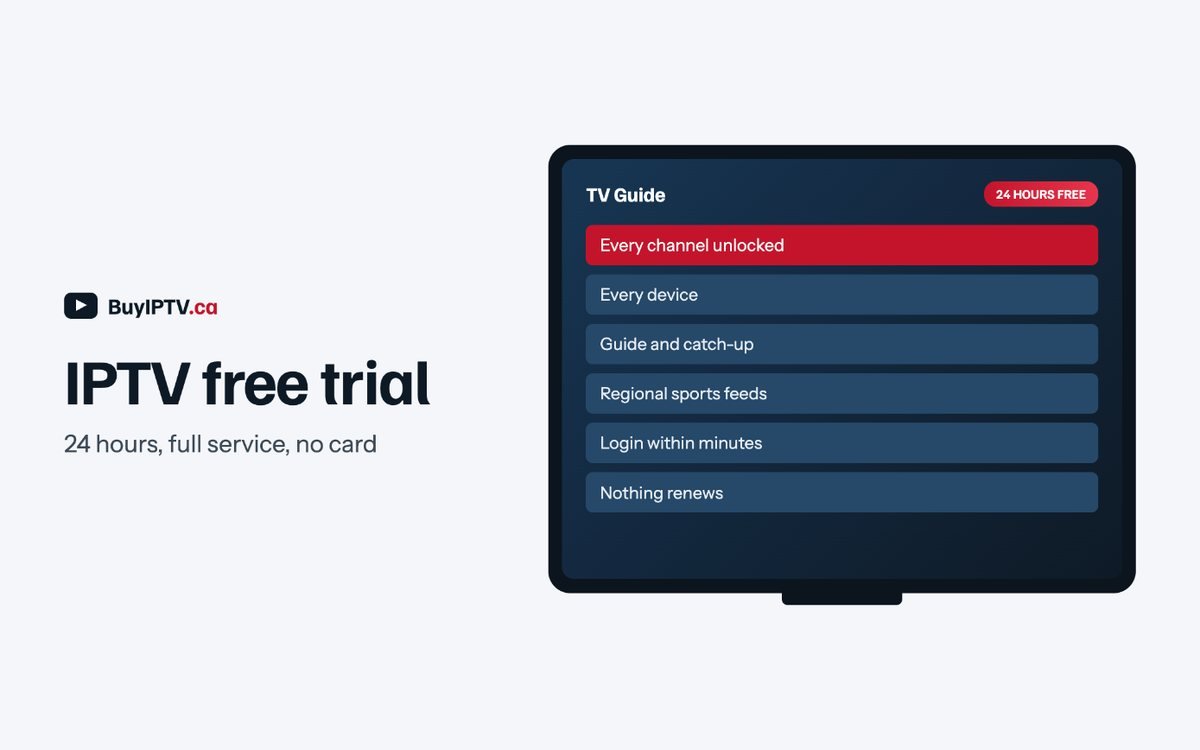
The IPTV free trial is every channel, every device, on the same servers paid subscribers use. Fill in one form, get a login by email, and test it on tonight’s game. Nothing renews and nothing is charged.

  • Email address only; no card, no phone number
  • Full Standard-plan access for the 24 hours of the IPTV free trial, from first login
  • Login sent within minutes during support hours, 9 am to 11 pm ET
  • One trial per household; if it doesn’t work on your setup, tell us and we’ll help before you buy anything

Request your trial login


    Who the trial is for

    An IPTV free trial is the only honest way to judge a service

    IPTV free trial: 24 hours of the full service with every channel and device

    Screenshots and channel counts tell you almost nothing. Whether a service works depends on your ISP, your building, your device and what happens to the servers at 7 pm Eastern on a Saturday. An IPTV free trial that runs on the same servers as the paid plans is the only way to find that out before money changes hands, which is why we offer one and why we would rather you used it.

    It suits three kinds of household in particular. Cord-cutters who have never used IPTV and want to see whether the guide really feels like cable. Sports fans who need to confirm their regional Sportsnet or TSN feed is there and stable during a game. And multilingual households who want to check that the channels from home are the ones they actually watch, not a relabelled list. The IPTV free trial covers all three cases with the full Standard plan for 24 hours.

    What it is not for is stress-testing five screens at once; the IPTV free trial is capped at two simultaneous streams. If you are evaluating for a large household or a reseller business, tell support and we will set up a Pro-level test instead.

    Make the 24 hours count

    How to test an IPTV service properly in one day

    An IPTV free trial is only useful if you test the things that go wrong. Here is the checklist we use when we evaluate our own upstream providers.

    Test at 7 pm ET, not 2 pm

    Any service looks fine at lunchtime. The question is whether it holds up when every household in Ontario and Quebec turns on the hockey at once. Open a busy sports channel between 7 and 10 pm Eastern (4 to 7 pm Pacific) and leave it running for at least twenty minutes.

    Check your regional feeds

    Open the Sportsnet region for your city and the local CTV or Global feed. If the guide shows the right game and the right local news, the Canadian lineup is real and not a relabelled US list.

    Try the guide and catch-up

    Scroll the EPG a day ahead and a day back. Play a programme that aired earlier today. A working guide and catch-up are the difference between “streaming” and something that replaces cable.

    Test on your worst device

    If you have an older Firestick or a TV on Wi-Fi at the far end of the house, test there. If it works on the weak link, it works everywhere.

    Switch channels fast

    Flick through ten channels in a row. Channel change should take one to three seconds. Anything longer means overloaded servers or a poor app choice; we’ll tell you which.

    Ask support something

    Send one question during the trial, even a small one. How fast and how well we answer at 9 pm on a Saturday tells you what support will be like after you pay.

    iptv free trial: how the 24 hours run from request to decision
    The trial start to finish.
    Use the 24 hours well

    The IPTV free trial checklist

    Keep this open on your phone while you test. Working through it in order tells you more in a day than a week of reading reviews.

    1. Start on your worst Wi-Fi spot. Log in first from the basement, the far bedroom or wherever your signal is weakest, not from beside the router. That is where a real IPTV free trial either holds up or shows you the truth early.
    2. Watch a live game at Saturday peak. Open a busy regional feed between 7 and 10 pm Eastern, when every household with that team is also watching, and leave it running through a full period or quarter.
    3. Check the EPG against reality. Compare tonight’s guide listing to the broadcaster’s own schedule. A guide that is a day off, or missing the game entirely, matters more than one buffered frame.
    4. Play something from catch-up. Pick a programme that aired earlier today and rewind into it. Seven-day catch-up is one of the things that actually replaces a PVR, so confirm it rather than assume it.
    5. Put on a 4K channel. Where a broadcaster provides a 4K feed, load it on your best screen for a few minutes and note whether it holds 4K or steps down when the connection is under load.
    6. Flip through ten channels fast. A one-to-three second change is normal; anything slower under normal use is worth reporting during the trial rather than after you’ve paid.
    7. Run a second device at the same time. Start a stream on a phone or tablet while the TV keeps playing. It is the only way to see how the trial behaves under more than one stream at once, within its limit.
    8. Test the app you actually plan to keep. If you intend to run TiviMate or IPTV Smarters Pro long-term, judge the IPTV free trial on that app, not on a different one you installed just to look at channels.
    9. Compare the real cost to what you pay today. While you’re testing, note what your household currently spends on cable or a streaming stack; the pricing page lays out the CAD math so the decision isn’t only about picture quality.

    Finished the list and happy with what you saw? Pick a plan before the login expires so nothing about your setup has to change.

    Scope of the trial

    What an IPTV free trial includes, and what it does not

    Included

    The full 20,000+ live channel list across every region, 100,000+ on-demand titles, 4K where broadcast, the complete guide and 7-day catch-up, on any device you already own: Firestick, Android TV, Samsung or LG, Apple TV, phone, tablet, PC or MAG/Formuler box.

    Not included

    A card on file, a phone call, or a second household sharing the login. The IPTV free trial is one per household and does not stack with a paid plan; ordering during or after a trial issues a new login rather than upgrading the trial one.

    The one real limit, stated plainly as our policy: an IPTV free trial login is capped at two simultaneous streams, the same ceiling as Standard and fewer than Pro’s five. It will show you exactly what Standard looks like on your own network, but it will not show five screens running at once; email support first if that’s what you need to test.

    Everything else matches the paid service because the trial runs on the same servers as paid subscribers, not a separate demo environment. That is deliberate: a demo tuned to look good tells you nothing about a Saturday night, and the whole point of an IPTV free trial is to remove that doubt before money changes hands.

    Getting ready is worth doing during the IPTV free trial rather than after you pay. Install your player app while you wait for the login email, and follow the setup guide for your device so the 24 hours are spent testing the picture, not fighting with an app. If you’re comparing plans at the same time, the pricing page lists exactly what changes between Standard and Pro.

    iptv free trial: a checklist of what to test in 24 hours
    Six tests that answer the question.
    After the 24 hours

    What happens when your IPTV free trial ends

    Nothing renews, nothing is billed, and we do not chase you afterward. Here is exactly what changes.

    At the 24-hour mark the IPTV free trial login simply stops authenticating; the app shows a login error rather than quietly continuing to play. Because no card was ever collected, there is nothing to cancel and nothing that can charge you later. If you never come back, the account is closed on our end with no further contact from us.

    If you decide to continue, pick a plan on the pricing page and place your order; that issues a brand-new login, not an extension of the trial one. Keep the trial credentials only long enough to compare, then switch your player app to the new login once it arrives by email.

    Converting takes about the same few minutes as the original request: choose Standard or Pro and a duration, pay by Interac e-Transfer, card or PayPal, and the new login typically arrives within the hour during support hours. The channel list, guide and catch-up you tested carry over exactly, since it is the same platform, just billed instead of temporary; if a device gave you trouble, the setup guides cover it before you pay.

    None of this touches the 30-day money-back guarantee, since that applies only once you’ve actually paid for a plan; an IPTV free trial that never worked simply ends, at no cost to you either way. If a technical problem was the reason, tell support before the 24 hours run out so we can look at fixing it instead of leaving you to guess.

    Proof over price

    Why we run a real IPTV free trial instead of a $3 “lifetime” plan

    An IPTV free trial and a rock-bottom price are trying to answer the same question in opposite ways: does this actually work for you.

    A cheap headline price cannot show you anything, because a price is just a number until you’ve watched a stream on your own network. An IPTV free trial can show you the one thing that matters: whether the regional feed you actually want holds up on your actual Wi-Fi, on the actual device you own, during an actual Saturday night. That is a fact, not a promise, and it costs us real server capacity to offer it.

    What an IPTV free trial proves and a price never can: that the regional feed loads correctly on your postal code’s actual routing, that the guide matches tonight’s real broadcast schedule, and that the stream survives twenty other households on your street doing the same thing during the third period. None of that shows up in a screenshot, and none of it costs a seller anything to promise in an ad.

    This is also why we don’t sell a “lifetime” plan ourselves, even though it would be an easy thing to advertise. A subscription that has to keep earning its renewal is the only structure that keeps us honest about server capacity and support hours long after the sale; a free trial is simply the cheapest way to prove that structure to you upfront.

    A “lifetime” plan sold for a few dollars is the opposite bet: it asks you to pay before you know anything, on the theory that the price is low enough not to matter if it fails. For a household that watches sports regularly or relies on channels from home, a stream that fails mid-game is not a minor inconvenience, and a refund does not get the second period back.

    If a stream fails during your trial, the honest conclusion is not that IPTV in general does not work; it is that this setup, at this time, did not hold up, and it is worth telling us which device, ISP and channel so we can say plainly whether it can be fixed. That is a more useful outcome than losing a few dollars on a plan that never proved anything either way. Compare that against the full pricing once you’re satisfied, or check the channel list for anything you haven’t tested yet.
    iptv free trial compared with a paid plan
    The trial is the service, not a demo reel.
    Trial questions

    IPTV free trial questions, answered

    Is the IPTV free trial really the full service?

    Yes. It is a Standard-plan login on the same servers as paid plans, with the same channel list and on-demand library. The only limits are 24 hours and 2 simultaneous streams.

    When does the 24 hours start?

    From your first login, not from when the email is sent. If you request at night and log in the next morning, you get the full day.

    Do I need to install anything first?

    You need a player app on your device: IPTV Smarters Pro, TiviMate, Smart IPTV or IBO Player. The setup guides show each one in about five minutes. You can install it while you wait for the login.

    Can I get a second trial?

    One trial per household is the rule, but if the first one failed for a technical reason, email support and we will extend it or issue another after we’ve fixed the issue.

    What happens when it ends?

    The login stops working. Nothing is charged, nothing renews, and we do not chase you. If you want to continue, pick a plan and your new login arrives after payment.

    Why do you ask for my city?

    So the trial login is set up with the right regional sports feeds and local news for where you live. It is optional; leave it blank and you get the default Ontario feeds.

    Does the IPTV free trial work with the app I already use?

    Almost always. The login works with IPTV Smarters Pro, TiviMate, Smart IPTV, IBO Player and most other M3U or Xtream Codes players, so test it on the app you actually plan to keep rather than a new one you installed just for the trial.

    Is the IPTV free trial login the one I’ll keep after I pay?

    No. Ordering a plan issues a brand-new login rather than extending or upgrading the trial one. Keep the trial credentials only long enough to compare, then switch your player app over once the paid login arrives by email.